

 bpaeducators
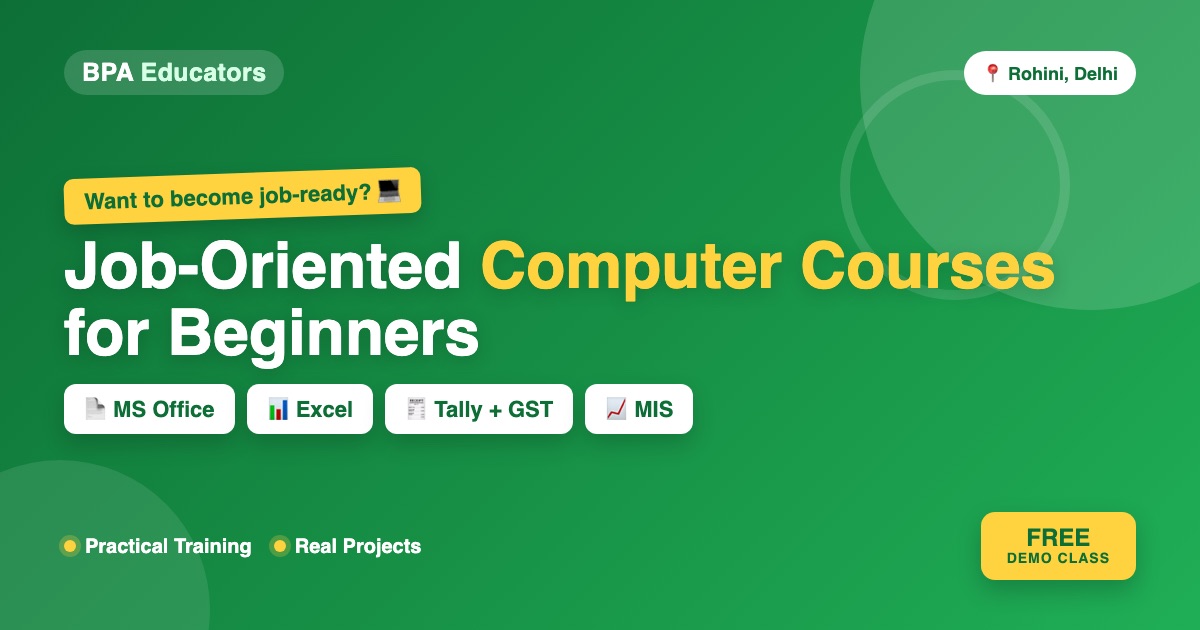
Job-Oriented Computer Courses for Beginners: Skills You Can Learn for Office Jobs
💻 Don’t know much about computers but want to become job-ready?
You don’t need to be a computer expert to start. If you’re a beginner, student, graduate, job seeker or someone restarting your career, the right computer course can help you build practical skills for everyday office work.
But here’s the important part: don’t choose a computer course just because it gives you a certificate. Choose a course where you actually learn to work with computers, documents, Excel sheets, presentations, data, accounts and office software.
If you’re searching for job-oriented computer courses in Rohini, Delhi, this guide explains which skills beginners should consider and how to choose the right course.
💻 What Is a Job-Oriented Computer Course?
A job-oriented computer course focuses on practical skills that can be used in workplace situations. Instead of only learning “This is Microsoft Excel,” you should learn “How can I use Excel to prepare an employee salary sheet, sales report or MIS?”
Instead of only learning “This is Tally,” you should learn “How do I create a company, maintain ledgers, enter purchases and sales, record payments and generate reports?” That difference matters.
🎯 Who Should Join a Beginner Computer Course?
These courses can be useful for:
- 👨🎓 Students — if you’re still studying and want practical computer skills before entering the job market.
- 🎓 College Students & Graduates — especially students from B.Com, BBA and other courses who want additional office and accounting skills.
- 💼 Job Seekers — if you’re applying for office, MIS, accounts, admin or data-entry positions.
- 🔄 Career Restarters — if you’ve been away from work and want to refresh your computer skills.
- 🏢 Working Professionals — if you want to improve your Excel, reporting, documentation or accounting skills.
- 👩💼 Beginners — even if you’ve never taken a professional computer course before, you can start with the basics.
⭐ 7 Job-Oriented Computer Skills Beginners Should Learn
Instead of trying to learn everything, start with skills that complement each other.
1. Basic Computer Skills
Start here if you’re a complete beginner. You should become comfortable with:
- Windows basics
- Files and folders
- Copy, paste and file management
- Installing / opening applications
- Printing and scanning
- Internet browsing
- Downloading / uploading files
- Basic troubleshooting
- Keyboard shortcuts
- Typing
These skills form the foundation for almost every office-based computer task.
2. Microsoft Word
Word is useful for creating and managing professional documents. Learn:
- Creating documents
- Formatting text
- Tables
- Page layouts
- Headers and footers
- Page numbering
- Images
- Professional letters
- Resumes
- Reports
- Mail Merge
- Printing and PDF creation
3. Microsoft Excel
If you’re serious about becoming job-ready, Excel deserves special attention. Excel is used for:
- Data entry
- Sales reports
- Attendance
- Salary sheets
- Expense tracking
- Inventory
- MIS reports
- Data analysis
- Dashboards
- Calculations
Excel Beginner Skills: Rows and columns, cell formatting, basic formulas (SUM, AVERAGE, COUNT, MAX, MIN, IF), sorting, filtering and tables.
Advanced Excel: VLOOKUP/XLOOKUP, SUMIF/SUMIFS, COUNTIF/COUNTIFS, PivotTables, charts, conditional formatting, data validation, dashboards and MIS reports.
This is a much more useful progression than trying to learn random Excel functions.
4. Microsoft PowerPoint
Office jobs often require presentations. Learn how to:
- Create slides
- Add text and images
- Use layouts
- Create charts
- Add tables
- Use transitions appropriately
- Present information clearly
- Create professional business presentations
5. Tally Prime
If you’re interested in accounts, billing, finance or bookkeeping, Tally Prime is an important skill to consider. Tally’s own training ecosystem includes computer basics, Microsoft Office and Excel alongside accounting-oriented learning, reflecting how these skills can complement each other in practical office workflows.
Beginner Tally training can include: company creation, groups, ledgers, voucher entry, purchase, sales, payment, receipt, contra, journal, inventory, reports, banking and basic payroll.
6. GST & Accounting Basics
Learning Tally without understanding basic accounting can make practical work difficult. A beginner interested in accounting should understand:
- Debit and Credit
- Assets
- Liabilities
- Income
- Expenses
- Purchases
- Sales
- Journal entries
- Ledgers
- Trial Balance
- Profit & Loss
- Balance Sheet
Then learn how GST is handled in relevant transactions. This combination becomes Accounting + Tally Prime + GST, which is particularly relevant for learners targeting entry-level accounts and billing work.
7. Communication & Office Skills
Computer skills are only one part of being workplace-ready. You may also need to write professional emails, communicate with customers, explain information, create reports, participate in meetings, give presentations and speak confidently during interviews. That’s why a practical beginner programme can be stronger when it combines technical skills with communication and employability skills.
🔥 The Best Skill Combination for Beginners
Instead of learning completely unrelated courses, build a skill stack.
For Office Jobs
Basic Computer → MS Word → Excel → PowerPoint → Email & Internet → Communication
For Accounts Jobs
Basic Computer → Accounting Fundamentals → Tally Prime → GST → Excel → MIS
For MIS / Data Jobs
Basic Computer → Excel → Advanced Excel → PivotTables → MIS Reports → Dashboards → Data Analysis
📊 Which Computer Course Should You Choose?
| Your Goal | Skills to Consider |
|---|---|
| Complete beginner | Basic Computer + MS Office |
| Office job | Computer + Word + Excel + PowerPoint |
| Data Entry | Computer + Typing + Excel |
| MIS Executive | Excel + Advanced Excel + MIS |
| Accounts Assistant | Accounting + Tally Prime + GST + Excel |
| Billing Executive | Tally + GST + Excel |
| Admin Executive | Computer + Word + Excel + Communication |
| Student | Computer + Excel + Communication |
| Job Seeker | Excel + Tally/GST + Communication |
| Career Restart | Computer + Excel + Office Skills |
The exact skills required vary by employer and job role, so use job descriptions for the positions you’re targeting as a guide.
💡 Don’t Just Learn Software. Build Projects.
This is where many beginners go wrong. They complete tutorials but have nothing practical to show. Instead, build small projects.
- Employee Salary Sheet — use Excel to create employee names, basic salary, allowances, deductions and net salary.
- Monthly Expense Tracker — create expense categories, monthly totals, charts, highest expense and category-wise analysis.
- Sales MIS Report — create sales data by region, product and salesperson with monthly sales, a PivotTable and a chart.
- Tally Accounting Practice — create a dummy business and record capital, purchases, sales, expenses, receipts, payments and bank transactions, then generate Trial Balance → Profit & Loss → Balance Sheet.
- GST Practice — create sample transactions involving purchases, sales, GST, customer invoices and supplier invoices, then understand how GST-related information appears in accounting records.
🧠 Certificate vs Practical Skill
Let’s be honest. A certificate can be useful as evidence that you completed a course. But during a job interview, you may also be asked:
- “Can you create an Excel report?”
- “Can you enter a purchase voucher in Tally?”
- “Can you prepare an invoice?”
- “Can you use PivotTable?”
- “Can you create a professional document?”
💼 What Entry-Level Roles Can These Skills Support?
Depending on your qualifications, experience and employer requirements, computer and accounting skills can support applications for roles such as:
- Computer Operator
- Data Entry Operator
- Office Assistant
- Admin Assistant
- Back Office Executive
- MIS Executive
- Accounts Assistant
- Billing Executive
- Junior Accountant
- Accounts Executive
- Documentation Executive
📍 Why Learn Computer Skills in Rohini, Delhi?
If you live or study in Rohini, classroom training can be useful if you prefer:
- Face-to-face learning
- Practical computer sessions
- Instructor support
- Doubt-solving
- Structured classes
- Regular assignments
- Peer learning
Rohini has multiple computer and skill-training centres offering different types of courses, so compare the actual syllabus, practical work, batch format and support before enrolling.
🏫 Job-Oriented Computer Training at BPA Educators
BPA Educators offers computer and professional skill training in Rohini, Delhi, with courses covering areas such as:
Computer & Office Skills
Computer Fundamentals, MS Word, MS Excel, Advanced Excel, MS PowerPoint, Internet & Email.
Accounting & Finance Skills
Accounting, Tally Prime, GST, Direct Tax, E-Filing, Busy, QuickBooks.
Job-Oriented Skills
MIS Executive Training, Advanced Excel, Business Communication, Spoken English, Public Speaking.
BPA’s existing course content specifically positions Advanced Excel, Tally Prime with GST, computer basics/MS Office and communication among its job-oriented skill areas.
🎓 Who Can Join BPA Educators?
Beginner-level computer and job-oriented courses can be relevant for:
- ✅ Class 10 students
- ✅ Class 12 students
- ✅ College students
- ✅ B.Com / BBA students
- ✅ Graduates
- ✅ Job seekers
- ✅ Beginners
- ✅ Career restarters
- ✅ Working professionals looking to upgrade skills
The right course depends on your current computer knowledge and career goal.
🚀 A Simple Beginner-to-Job-Ready Roadmap
If you’re starting from zero, don’t try to learn everything together. Follow this roadmap:
- Month 1 — Basic Computer + MS Office. Computer → Word → PowerPoint → Email → Internet.
- Month 2 — Excel. Basic Excel → Formulas → Sorting → Filtering → Charts.
- Month 3 — Advanced Excel / MIS. VLOOKUP/XLOOKUP → SUMIFS → PivotTables → Charts → MIS Reports.
📥 Useful Official Learning Links
- Microsoft Excel Help & Learning
- Microsoft 365 / Office Training
- Tally Solutions (TallyPrime)
- TallyHelp Documentation
- GST Portal
- Income Tax e-Filing Portal
- BPA Educators — Computer, Excel, Tally, Accounting, GST & MIS training
🎁 Want Free Excel Learning Resources?
If you’re starting your computer-learning journey, Excel is one of the most useful skills to practise regularly. Want to start learning Excel practically?
👉 Ask BPA Educators about the Free Demo Class and Excel learning resources.
Explore BPA Educators WhatsApp for Free Demo📲 Looking for Job-Oriented Computer Courses in Rohini?
If you’re a beginner and don’t know which course to choose, don’t simply ask “Which computer course is best?” Ask “Which skills match the job I want?” Then build your learning path around that goal. For example:
- Want an office job? Computer + MS Office + Excel + Communication
- Want an accounting job? Accounting + Tally Prime + GST + Excel
- Want an MIS role? Excel + Advanced Excel + MIS + Data Analysis
❓ Frequently Asked Questions
1. Which computer course is best for beginners?
Start with Basic Computer + MS Office if you are completely new. You can then specialise in Excel, Advanced Excel, Tally, GST, MIS or other areas depending on your career goal.
2. Can I learn Excel if I am a complete beginner?
Yes. Start with basic Excel concepts and gradually move towards formulas, PivotTables, charts, Advanced Excel and MIS reporting.
3. Should I learn Tally with Excel?
If you’re interested in accounting, billing or finance-related roles, learning Tally Prime + GST + Excel can provide a complementary skill set.
4. Is Tally useful for accounting jobs?
Tally is widely used as an accounting/business software, and Tally’s own training resources include practical accounting and office-computing learning.
5. Can a Class 10 or 12 student learn job-oriented computer skills?
Yes. Students can start with computer fundamentals, MS Office and Excel and gradually build more advanced skills.
6. Can graduates join a beginner computer course?
Yes. If your computer skills are weak, beginning with fundamentals can help before moving into specialised courses.
7. What should I learn for an MIS Executive role?
A useful starting combination is: Excel → Advanced Excel → PivotTables → MIS Reports → Data Analysis.
8. What should I learn for an accounts job?
Consider: Accounting Fundamentals → Tally Prime → GST → Excel → Practical Accounting.
9. Where can I learn job-oriented computer courses in Rohini?
BPA Educators provides computer, Excel, Tally, accounting, GST and MIS-oriented training in Rohini, Delhi. Contact the institute for current course details and batch availability.
🔥 Final Takeaway
Being “good with computers” doesn’t mean knowing 20 different software applications. It means being able to use the right tools to complete real work. Start with:
That’s a much stronger learning journey than collecting certificates without practising. Start with one skill. Practise it. Build something. Then move to the next.
🎯 Start Your Skill Journey with BPA Educators
Don’t know which course is right for you? Call or WhatsApp BPA Educators and tell us your education level + career goal. We’ll help you identify the relevant course options and current batch details.
📍 BPA Educators, Rohini, Delhi
📞 Call / WhatsApp: +91-9911400366
🌐 www.bpaeducators.com
Learn the skill. Practise the skill. Build projects. Prepare for the job.
Enroll in BPA Educators