

 Mohit Daagar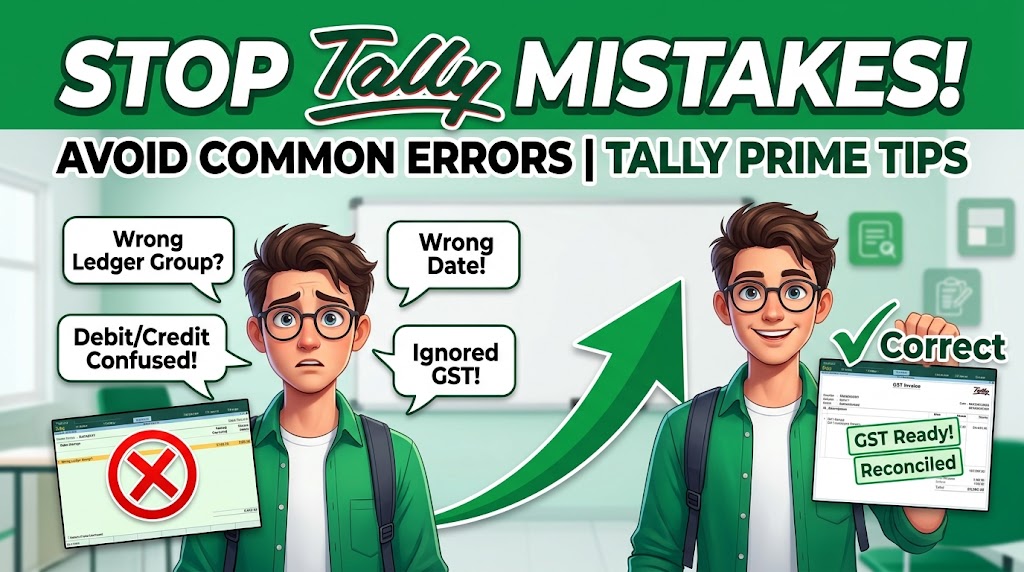
Common Tally Mistakes Students Make (and How to Avoid Them)
A practical guide to avoiding common Tally Prime mistakes in ledger creation, voucher entries, GST accounting, inventory, banking, reconciliation and financial reporting.
Table of Contents
- Introduction
- Why Students Make Mistakes in Tally
- 1. Choosing the Wrong Ledger Group
- 2. Selecting the Wrong Voucher Type
- 3. Confusing Debit and Credit
- 4. Creating Duplicate Ledgers
- 5. Entering the Wrong Opening Balance
- 6. Ignoring GST Configuration
- 7. Using the Wrong GST Tax Ledger
- 8. Entering Incorrect Party Details
- 9. Entering the Wrong Date
- 10. Ignoring Narration
- 11. Not Performing Bank Reconciliation
- 12. Ignoring Inventory and Accounting Integration
- 13. Not Taking Regular Backups
- 14. Learning Shortcuts Without Accounting Knowledge
- 15. Not Practicing Real-Life Transactions
- 10-Second Tally Verification Checklist
- Best Learning Sequence
- Why Tally + Advanced Excel Matters
- Frequently Asked Questions
- Useful Resources
Introduction: Why Tally Mistakes Happen
Tally Prime is widely used for accounting, invoicing, GST-related work, inventory management, banking and financial reporting. For students, learning the software interface is only one part of becoming proficient in Tally.
Many students can create a company, create ledgers and enter vouchers but still face problems when they check the Trial Balance, GST figures, outstanding balances or Balance Sheet.
The reason is simple: Tally is not just a data-entry application. It applies accounting principles to every transaction entered into the system.
The Core Principle
Correct accounting knowledge + correct Tally procedure = reliable accounting records.
Students should therefore learn both the accounting concept behind a transaction and the correct method of recording it in Tally Prime.
Why Do Students Make Mistakes in Tally?
Most Tally mistakes are not caused by complicated software functionality. They happen because students focus on clicking buttons instead of understanding the accounting treatment.
Before working independently in Tally, students should understand:
- Debit and Credit principles
- Ledger Groups
- Voucher Types
- GST basics
- Inventory concepts
- Banking transactions
- Outstanding balances
- Profit and Loss Account
- Balance Sheet
- Trial Balance
Practical Tip
Do not try to memorize every Tally screen. First understand what the transaction means, then determine how it should be recorded.
1. Choosing the Wrong Ledger Group
One of the most common mistakes beginners make is selecting the wrong group while creating a ledger.
For example, suppose a student creates a customer ledger called ABC Traders. If the ledger is placed under Sales Accounts instead of Sundry Debtors, the accounting reports can be affected.
Correct Ledger Group Classification
| Ledger / Account | Correct Group |
|---|---|
| Customer | Sundry Debtors |
| Supplier | Sundry Creditors |
| Sales | Sales Accounts |
| Purchases | Purchase Accounts |
| Office Rent | Indirect Expenses |
| Salary | Indirect Expenses |
| Bank | Bank Accounts |
| Cash | Cash-in-Hand |
Remember
Do not choose a ledger group simply because the name sounds familiar. Identify the nature of the account first.
2. Selecting the Wrong Voucher Type
Tally Prime provides different voucher types for different accounting transactions. Selecting the wrong voucher can result in an incorrect accounting treatment.
Important Voucher Types
| Voucher Type | Typical Use |
|---|---|
| Payment | Payments made by the business |
| Receipt | Money received by the business |
| Contra | Transfer between cash and bank accounts |
| Sales | Recording sales transactions |
| Purchase | Recording purchase transactions |
| Journal | Journal-based adjustment entries |
| Debit Note | Relevant purchase/return or adjustment transactions |
| Credit Note | Relevant sales/return or adjustment transactions |
Example: Bank to Cash Transfer
Suppose a business withdraws cash from its bank account. This is a transfer between the business's own cash and bank accounts.
Therefore, it should be recorded as a Contra transaction rather than a normal Payment transaction.
Quick Examples
- Cash deposited into bank: Contra
- Salary paid: Payment
- Customer payment received: Receipt
- Goods sold: Sales
Practical Tip
Before selecting a voucher, ask: “What exactly happened in this transaction?” Then select the voucher that represents that transaction.
3. Confusing Debit and Credit
Students often try to remember Debit and Credit using overly simple rules such as: “Debit means money coming in and Credit means money going out.”
This shortcut is not sufficient for proper accounting. Debit and Credit depend on the nature of the accounts involved and the accounting principles applicable to the transaction.
Example: Office Rent Paid Through Bank
Suppose office rent is paid through the company's bank account. The office rent is an expense for the business, while money is reduced from the bank account.
| Account | Treatment | Reason |
|---|---|---|
| Office Rent | Debit | Expense is recorded |
| Bank | Credit | Bank balance decreases |
Key Learning Point
Do not determine Debit or Credit merely by looking at whether cash is coming in or going out. Understand the accounts affected by the transaction.
4. Creating Duplicate Ledgers
Another common mistake is creating the same customer, supplier, expense or other ledger more than once.
For example, a student may create: ABC Traders and later create ABC Trader without realizing that both ledgers represent the same party.
Duplicate ledgers can make outstanding reports, party balances and transaction analysis unnecessarily difficult.
How to Avoid Duplicate Ledgers
- Search for the party before creating a new ledger.
- Check the spelling carefully.
- Verify the party's existing details.
- Check GSTIN and other identifying information where applicable.
- Create a new ledger only when it is genuinely required.
Practical Tip
Before creating a new party ledger, use the search facility and confirm whether the party already exists.
5. Entering the Wrong Opening Balance
Opening balances are important because they carry forward the financial position from the previous accounting period. Entering an incorrect opening balance can affect subsequent accounting reports.
Common Opening Balance Errors
- Entering the wrong amount
- Putting the balance on the wrong Debit or Credit side
- Entering the balance in the wrong financial year
- Assigning the opening balance to the wrong ledger
- Failing to verify the previous year's closing balance
What Should Students Verify?
- Previous year's Trial Balance
- Customer receivables
- Supplier payables
- Cash balance
- Bank balances
- Capital and other relevant balances
Practical Tip
Never enter an opening balance based on assumption. Compare it with the previous accounting period's verified closing records.
6. Ignoring GST Configuration
GST configuration is an important part of working with Tally Prime when GST accounting is required. Students sometimes focus on entering invoices without first checking whether the company and relevant ledgers have been configured correctly.
Important GST Configuration Areas
- GST registration status
- GSTIN
- Applicable tax ledgers
- HSN or SAC details, where applicable
- Applicable GST rates
- Party GST details
- State and place-of-supply information
Incorrect configuration can affect invoices and GST-related reports. Students should therefore understand the GST treatment before entering transactions.
Important
GST treatment for an actual business should be checked against the applicable current GST rules and, where necessary, professional tax or accounting guidance.
7. Using the Wrong GST Tax Ledger
Students can also make mistakes by selecting an incorrect GST tax ledger during purchase or sales transactions.
Common GST Tax Ledgers
| Tax Ledger | General Purpose |
|---|---|
| Input CGST | Applicable input CGST on eligible purchases |
| Input SGST | Applicable input SGST on eligible purchases |
| Input IGST | Applicable input IGST on eligible purchases |
| Output CGST | Applicable CGST collected on taxable sales |
| Output SGST | Applicable SGST collected on taxable sales |
| Output IGST | Applicable IGST collected on taxable sales |
Input Tax vs Output Tax
Input tax generally refers to tax paid on eligible purchases, while output tax refers to tax charged or collected on taxable sales.
Students must also determine whether the transaction is intra-state or inter-state before applying the relevant GST treatment.
Remember
Do not select a GST ledger only because its name contains CGST, SGST or IGST. First understand the nature of the transaction and applicable tax treatment.
8. Entering Incorrect Party Details
Party master details are often ignored by beginners because they appear less important than the transaction amount. However, accurate party information is essential for proper accounting records and documentation.
Details Students Should Check
- Party name
- Address
- State
- GSTIN, where applicable
- Registration type
- Contact details
Incorrect party information can create problems when preparing invoices, reviewing customer or supplier records, and checking GST-related information.
Practical Tip
Treat the party master as part of the accounting data. Do not enter random or incomplete information merely to complete the practical exercise.
9. Entering the Wrong Date
The transaction date determines the period in which the transaction is recorded. A wrong date can therefore affect accounting reports and period-wise analysis.
A Wrong Date Can Affect
- Sales reports
- Purchase reports
- GST-related reporting
- Outstanding balances
- Profit and Loss reporting
- Monthly MIS reports
- Period-wise transaction analysis
5-Second Entry Check
Date → Party → Voucher Type → Amount → Tax → Ledger
Make this sequence a habit before saving important accounting entries.
10. Ignoring Narration
Narration helps explain the purpose or nature of an accounting transaction. Students sometimes leave it blank or enter meaningless text.
Example of a Useful Narration
“Being office rent paid for August 2026 through HDFC Bank.”
A good narration should be short but meaningful. It should help another person understand why the transaction was recorded.
Characteristics of Good Narration
- Clear
- Short
- Relevant
- Specific to the transaction
- Easy to understand during future verification
Practical Tip
Avoid narrations such as “payment done” or “entry passed.” Mention the actual purpose of the transaction whenever appropriate.
Midway Check: Are You Entering or Understanding?
Tally proficiency is not measured by how quickly you can open a voucher screen. It is measured by whether you can understand a transaction, select the appropriate accounts, apply the correct treatment and verify its impact on the financial records.
The next set of mistakes focuses on reconciliation, inventory, backups and practical accounting ability.
11. Not Performing Bank Reconciliation
Recording bank transactions in Tally is not the final step. Students should also learn how to compare the bank balance shown in Tally with the actual bank statement.
This process is known as Bank Reconciliation. It helps identify differences between the accounting records and the bank's records.
Common Reasons for Differences
- Cheques issued but not yet presented to the bank
- Deposits made but not yet credited by the bank
- Bank charges recorded by the bank but not yet entered in Tally
- Direct bank entries
- Interest or other bank-related entries
- Timing differences between the books and bank statement
| Record | What It Represents |
|---|---|
| Tally Bank Balance | Balance recorded in the business accounting books |
| Bank Statement | Transactions and balance recorded by the bank |
Practical Tip
Do not assume that a difference between Tally and the bank statement automatically means the accounting entry is wrong. First identify whether the difference is due to timing, missing entries or an actual error.
12. Ignoring Inventory and Accounting Integration
Students who work with businesses dealing in goods need to understand that inventory and accounting can be connected. Learning only financial accounting entries may not be enough for practical Tally work.
Important Inventory Concepts
- Stock Groups
- Stock Categories
- Stock Items
- Units of Measure
- Godowns
- Purchase transactions
- Sales transactions
- Stock reports
Incorrect inventory configuration can affect stock quantities, valuation and business reporting. Students should therefore understand how inventory information connects with purchase and sales transactions.
Example
Suppose a student creates a stock item with an incorrect unit of measure or records a purchase without properly considering the inventory impact. The financial entry may appear complete while the stock records are inaccurate.
Practical Tip
When practicing inventory accounting, always verify both: financial impact and stock impact.
13. Not Taking Regular Backups
Accounting data is important business information. Students sometimes ignore backups because they are working only on practice companies. In a professional environment, however, data protection is an essential part of accounting operations.
Good Backup Practices
- Take regular backups of important accounting data.
- Store backups in a safe and reliable location.
- Maintain appropriate backup versions when required.
- Follow the organization's data-security procedures.
- Do not rely on a single copy of important accounting data.
Professional Skill
An accounting professional is responsible not only for entering transactions but also for maintaining reliable accounting records and following proper data-handling procedures.
14. Learning Shortcuts Without Accounting Knowledge
Tally shortcuts can make work faster, but shortcuts do not replace accounting knowledge.
A student may know how to open a Payment voucher, create a ledger or save an entry quickly. However, if the student does not know which accounts should be affected, the transaction can still be incorrect.
The Right Formula
Accounting Knowledge + Tally Skills = Practical Accounting Ability
What Students Should Understand First
- Nature of accounts
- Debit and Credit
- Accounting equation
- Ledger classification
- Voucher types
- GST basics
- Financial statements
Once the accounting logic is clear, Tally becomes significantly easier to use because the software becomes a tool for applying concepts rather than something students simply memorize.
15. Not Practicing Real-Life Transactions
One of the biggest problems in Tally training is practicing isolated entries instead of complete business situations.
A student may know how to record a purchase but may struggle when asked to create the supplier ledger, configure GST, record the purchase, verify the outstanding amount and check the resulting reports.
Practical Example: Credit Purchase
Consider a fictional business purchasing goods worth ₹50,000 plus applicable GST on credit.
A student should be able to work through the transaction logically:
- Create or verify the supplier ledger.
- Create or verify the purchase ledger.
- Configure the relevant GST treatment.
- Enter the purchase voucher correctly.
- Verify the supplier outstanding balance.
- Check the purchase-related report.
- Verify the accounting impact on relevant reports.
Practical Learning Strategy
Do not stop after saving the voucher. Always check what the transaction did to the ledger, outstanding balance, GST treatment, inventory and financial reports.
10-Second Tally Verification Checklist
Before saving or finalizing an important accounting entry, develop the habit of performing a quick verification.
Check These 7 Points
- Date — Is the transaction date correct?
- Voucher Type — Is the correct voucher selected?
- Ledgers — Are the correct accounts selected?
- Amount — Is the amount accurate?
- GST Treatment — Is the applicable tax treatment correct?
- Narration — Does it clearly explain the transaction?
- Accounting Sense — Does the entry make accounting sense?
Quick Formula
Date → Voucher → Ledgers → Amount → GST → Narration → Verify
This simple checking habit can prevent many avoidable mistakes, especially when students begin working with larger numbers of transactions.
What Should You Be Able to Do After Practice?
A student should not consider Tally learned merely because they can enter individual vouchers. Practical proficiency means being able to take a business scenario from company setup through transaction entry and finally verify the resulting reports.
- Understand the transaction
- Identify the accounts involved
- Select appropriate ledgers
- Select the correct voucher
- Apply relevant GST treatment
- Record inventory impact where applicable
- Check outstanding balances
- Review accounting reports
- Identify and correct errors
Best Learning Sequence for Tally Prime Beginners
Students can reduce confusion by following a structured learning sequence instead of trying to learn every Tally feature at once. The objective should be to move from accounting fundamentals toward complete practical business scenarios.
| Step | What to Learn | Practical Objective |
|---|---|---|
| Step 1 | Accounting Concepts | Understand Debit, Credit and account classification |
| Step 2 | Company Creation & Configuration | Set up the accounting environment correctly |
| Step 3 | Ledger Creation | Understand groups and account classification |
| Step 4 | Major Voucher Types | Record routine business transactions correctly |
| Step 5 | GST Transactions | Understand applicable GST accounting procedures |
| Step 6 | Inventory | Manage stock-related accounting information |
| Step 7 | Banking & Reconciliation | Compare accounting records with bank information |
| Step 8 | Financial Reports | Understand Trial Balance, P&L and Balance Sheet |
| Step 9 | Complete Business Projects | Apply multiple concepts together |
| Step 10 | Advanced Excel | Improve reporting, analysis and MIS capabilities |
Recommended Approach
Do not move directly from basic voucher entry to advanced features. Build your skills progressively and verify the accounting impact after every major stage.
Why Tally + Advanced Excel Matters for Accounting Students
Tally Prime helps students develop practical accounting and bookkeeping skills. Advanced Excel adds another important capability: analysing, organizing and presenting accounting data.
In many accounting and finance roles, employees are expected to work with both accounting software and spreadsheets. Therefore, learning Tally and Excel together can provide a broader practical skill set.
Important Excel Skills for Accounting Work
- MIS Reports
- Data Analysis
- Reconciliation
- Pivot Tables
- Dashboards
- Financial Analysis
- Reporting
- Data Cleaning
Potential Job Roles
| Skill Combination | Relevant Roles |
|---|---|
| Tally + Accounting | Accountant, Accounts Executive |
| Tally + GST | GST Executive, Accounts Executive |
| Tally + Excel | Accountant, MIS Executive, Finance Executive |
| Tally + GST + Excel | Broader accounting and finance support roles |
Career Skill Perspective
Tally should be treated as one component of a larger accounting skill set. Students should combine software knowledge with accounting concepts, GST understanding, Excel, reporting ability and practical transaction handling.
Students interested in building these skills can explore the Tally Prime, Busy & QuickBooks course and the Advanced Excel course offered by BPA Educators.
Frequently Asked Questions About Tally Mistakes
1. What is the most common mistake students make in Tally?
Two of the most common beginner mistakes are selecting the wrong ledger group and selecting the wrong voucher type. Students should understand the nature of the transaction before creating ledgers or entering vouchers.
2. Is Tally Prime difficult to learn?
Tally Prime becomes easier when students understand basic accounting concepts and practice complete business transactions. Learning only the software interface without understanding accounting can make practical work more difficult.
3. Can I learn Tally without knowing accounting?
A student can learn the basic software interface without extensive accounting knowledge. However, correct practical use requires an understanding of accounting concepts such as Debit, Credit, ledgers, vouchers and financial statements.
4. Can I practice Tally at home?
Yes. Students can create a fictional business and practice a complete month's transactions. A useful practice project should include purchases, sales, expenses, receipts, payments, banking, GST where applicable, outstanding balances and financial reports.
5. Is learning Tally alone enough for an accounting job?
Tally is an important accounting software skill, but students should not depend on software knowledge alone. Accounting fundamentals, GST knowledge, Advanced Excel, reconciliation, reporting and practical transaction handling can strengthen job readiness.
6. Should I learn Advanced Excel with Tally?
Yes. Advanced Excel can complement Tally skills by helping students work with MIS reports, reconciliation, data analysis, Pivot Tables, dashboards and financial reporting.
Free Tally Prime Mistake Checklist for Beginners
Use this resource to review common Tally errors while practicing accounting transactions and checking your work.
Checklist Contents
- Ledger Group Checklist
- Voucher Type Guide
- Debit & Credit Reminder
- GST Verification Checklist
- Bank Reconciliation Checklist
- Month-End Verification Checklist
Useful Resources for Tally and Accounting Students
Students should use reliable learning resources to strengthen their software knowledge and understand the broader accounting environment.
Tally Resources
GST Resource
Excel Resource
Why Learn Tally with BPA Educators?
Learning Tally effectively requires more than memorizing menu options. Students should practice accounting transactions and understand how those transactions affect business records.
BPA Educators focuses on practical, job-oriented accounting skills covering areas such as:
- Accounting Fundamentals
- TallyPrime
- Ledger Creation
- Voucher Entries
- GST Accounting
- Inventory Management
- Banking & Reconciliation
- Financial Reports
- Advanced Excel
- MIS Reporting
- Practical Assignments
- Job-Oriented Accounting Skills
To explore the available accounting and software training, visit the Tally Prime, Busy & QuickBooks course .
Key Takeaways
The most important lesson is that Tally accuracy comes from understanding the transaction rather than simply knowing which button to click.
- Understand accounting concepts before relying on shortcuts.
- Select the correct ledger group for every account.
- Choose the voucher type according to the nature of the transaction.
- Understand Debit and Credit instead of using oversimplified rules.
- Avoid duplicate ledgers.
- Verify opening balances carefully.
- Check GST configuration and tax treatment where applicable.
- Enter accurate party information.
- Verify transaction dates and amounts.
- Use meaningful narrations.
- Perform bank reconciliation.
- Understand inventory and accounting together where relevant.
- Maintain regular backups and follow proper data-security procedures.
- Practice complete business scenarios instead of isolated voucher entries.
- Combine Tally with Advanced Excel for stronger reporting and analysis capabilities.
Ready to Stop Making Tally Mistakes?
Don't just learn where to click. Learn how accounting transactions actually work.
Build practical skills in Tally Prime, accounting, GST, inventory, banking, reconciliation and financial reporting with structured training at BPA Educators.
The training is designed for students, freshers, job seekers and aspiring accounting professionals who want practical, job-oriented skills.
Tally Course in Rohini, Delhi
Contact BPA Educators to enquire about fees, syllabus, batch timings and admission.
Learn Tally. Practice accounting. Build job-ready skills.
Final Thoughts
Tally Prime is easier to use when students understand the accounting logic behind every transaction. Most beginner mistakes can be reduced by following a structured process: understand the transaction, select the correct accounts, choose the appropriate voucher, verify GST and other relevant details, and finally review the accounting impact.
Regular practice is more valuable than simply memorizing software screens. Students should create complete fictional business projects and work through an entire accounting cycle.
Combining Tally with accounting fundamentals, GST knowledge, bank reconciliation and Advanced Excel can create a stronger practical skill set for accounting and finance-related roles.
Start With the Right Foundation
Understand accounting. Learn Tally. Practice real transactions. Verify your reports. Build practical skills.
Related Resources for Accounting Students
Continue building your accounting, Tally and Excel skills with these useful resources from BPA Educators.
- Tally Prime, Busy & QuickBooks Course – Learn practical accounting software skills, voucher entries, GST, inventory and accounting workflows.
- Advanced Excel Course – Develop Excel skills for MIS reporting, data analysis, reconciliation, Pivot Tables and professional reporting.
- Important Info & Free Learning Resources – Access useful study materials, practical resources and learning content for students.
- BPA Educators Blogs – Explore more articles covering Tally, accounting, Excel, GST, MIS and career-oriented skills.
- Contact BPA Educators – Enquire about courses, syllabus, fees, batch timings and admissions.