

 bpaeducators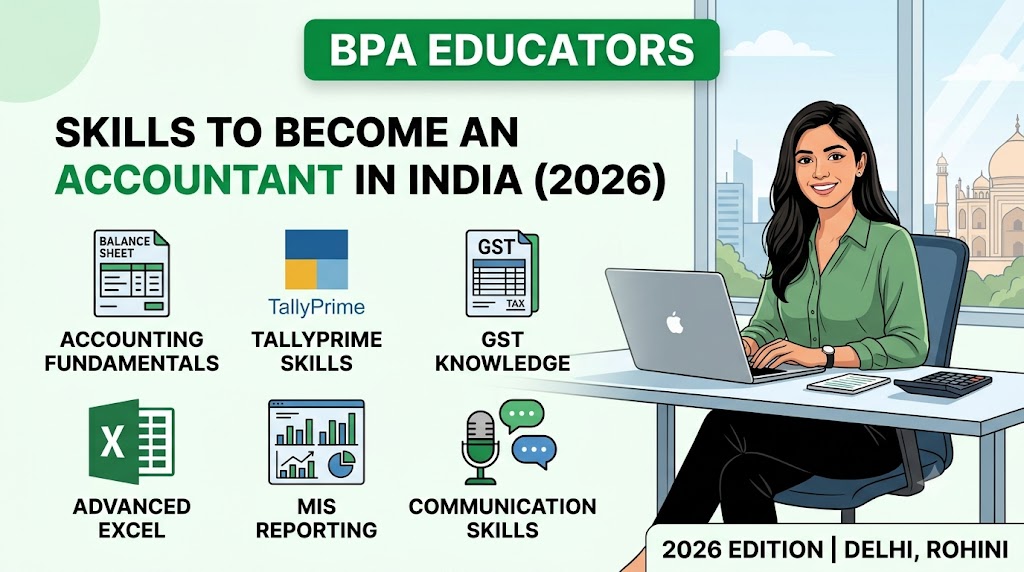
Skills to become an Accountant in India in 2026
A practical guide to the accounting, TallyPrime, GST, Advanced Excel, MIS, computer and communication skills employers look for in job-ready accounting professionals.
Table of Contents
- Introduction
- 1. Strong Accounting Fundamentals
- 2. TallyPrime Skills
- 3. GST Accounting Skills
- 4. Advanced Excel
- 5. MIS Reporting
- 6. Bank Reconciliation
- 7. Inventory Accounting
- 8. Basic Income Tax Knowledge
- 9. Computer Skills
- 10. Communication Skills
- 11. Attention to Detail
- 12. Problem-Solving Skills
- Tally + Excel + GST: The Job-Ready Combination
- What Should a Fresher Put on Their Resume?
- Practical Projects Every Accounting Student Should Try
- Frequently Asked Questions
- Official Links & Learning Resources
- Related BPA Educators Resources
- Free Accountant Skills Checklist
Want to Become an Accountant in India? Accounting Knowledge Alone Isn't Enough
Accounting knowledge is the foundation of an accounting career, but modern accounting roles often require professionals to work with accounting software, spreadsheets, GST-related processes, reports, banking data and everyday office technology.
Employers hiring for entry-level accounting and Accounts Executive positions may expect candidates to handle tasks such as TallyPrime entries, Excel MIS reports, bank reconciliation, GST-related accounting and outstanding reports.
This means that a commerce student, B.Com graduate, fresher or working professional should focus on building a combination of theoretical knowledge and practical workplace skills.
The Job-Ready Accountant Skill Set
A practical accounting profile can be built around:
Accounting Knowledge + TallyPrime + GST + Advanced Excel + MIS + Computer Skills + Communication + Practical Experience
If you are searching for an accounting course in Rohini, Tally course near me, Advanced Excel training in Rohini, or a job-oriented computer course in Delhi, understanding these skills can help you choose training that focuses on actual workplace requirements.
What Skills to Become an Accountant in India for you ?
A job-ready accountant needs more than the ability to pass journal entries. The following skills provide a practical foundation for accounting and finance-related work.
| Skill | Why It Matters |
|---|---|
| Accounting Fundamentals | Helps you understand the logic behind transactions. |
| TallyPrime | Helps you record and manage practical accounting transactions. |
| GST Accounting | Supports GST-related accounting and invoicing activities. |
| Advanced Excel | Useful for reporting, analysis, reconciliation and MIS. |
| MIS Reporting | Helps convert accounting data into management information. |
| Bank Reconciliation | Helps identify and explain differences between books and bank records. |
| Inventory Accounting | Important for trading, retail, manufacturing and distribution businesses. |
| Basic Income Tax Knowledge | Provides awareness of common tax-related accounting requirements. |
| Computer Skills | Supports everyday office and accounting operations. |
| Communication | Helps explain financial information clearly to stakeholders. |
| Attention to Detail | Reduces errors in financial and business records. |
| Problem-Solving | Helps investigate differences and accounting issues. |
1. Strong Accounting Fundamentals
Before learning accounting software, students should understand accounting itself. Software can help process transactions, but the user remains responsible for understanding whether the accounting treatment is appropriate.
Important Accounting Concepts
- Debit and Credit
- Journal Entries
- Ledger
- Trial Balance
- Cash Book
- Bank Book
- Profit & Loss Account
- Balance Sheet
- Capital and Drawings
- Assets and Liabilities
- Income and Expenses
Why Does Accounting Knowledge Matter?
TallyPrime can process the entry that you provide. It does not replace your responsibility to understand the accounting logic behind that entry.
Practical Example
Suppose office rent is paid through the bank.
| Account | Treatment | Reason |
|---|---|---|
| Rent Account | Debit | Rent is an expense. |
| Bank Account | Credit | Bank balance decreases. |
Key Learning Point
Understanding the accounting logic behind a transaction makes learning TallyPrime easier and reduces incorrect voucher entries.
2. TallyPrime Skills
Practical TallyPrime knowledge is useful for many accounting and accounts-related roles. Students should learn more than company creation and basic voucher entry.
What Should You Practice in TallyPrime?
- Company Creation
- Ledger Creation
- Groups
- Voucher Entry
- Sales
- Purchases
- Receipts
- Payments
- Contra
- Journal
- Credit Notes
- Debit Notes
- Inventory
- Banking
- Financial Reports
- Outstanding Reports
Students should also understand how transactions affect ledgers, outstanding balances and final financial reports.
Do Not Just Learn Where to Click
Learn why the entry is made, which accounts are affected, which voucher should be used and how the transaction appears in the final reports.
Practical Tip
After entering a transaction, review its accounting impact. This is more valuable than memorizing software screens.
3. GST Accounting Skills
GST knowledge is an important part of practical accounting work in India, particularly for roles involving sales, purchases, invoicing and tax-related accounting records.
GST Concepts to Understand
- CGST
- SGST
- IGST
- Input Tax
- Output Tax
- GST Invoices
- HSN/SAC
- GST Rates
- Purchase Entries
- Sales Entries
- Credit Notes
- Debit Notes
- GST Reports
Students should also understand how GST-related transactions are recorded in accounting software and how the tax treatment affects the accounting records.
Important
GST rules, rates and compliance procedures can change. Always verify current requirements through official government resources or qualified professional guidance before applying them to an actual business.
4. Advanced Excel Skills for Accountants
Excel is one of the most important practical skills for accounting professionals. Accountants frequently work with large transaction records, customer data, vendor balances, salary information, expense reports and financial summaries.
Basic Excel knowledge is useful, but many accounting jobs require the ability to analyse data, prepare reports and reduce repetitive manual work.
Excel Skills an Accountant Should Learn
| Excel Skill | Accounting Application |
|---|---|
| SUM, AVERAGE, MIN, MAX | Calculating totals and analysing financial data |
| IF, AND, OR | Creating logical accounting conditions |
| SUMIF / SUMIFS | Category-wise and condition-based calculations |
| COUNTIF / COUNTIFS | Counting transactions based on conditions |
| VLOOKUP / XLOOKUP | Finding customer, vendor and transaction information |
| INDEX + MATCH | Advanced data lookup and analysis |
| Pivot Tables | Summarising large accounting datasets |
| Conditional Formatting | Identifying overdue, unusual or important transactions |
| Sorting & Filtering | Analysing transactions and financial records |
| Charts | Presenting financial and MIS information |
Why Advanced Excel Matters
An accountant may receive thousands of rows of transactions and still be expected to produce a useful report within a short period. Advanced Excel allows the accountant to organise, analyse and present this information efficiently.
5. MIS Reporting Skills
MIS stands for Management Information System. In accounting and finance roles, MIS reports are used to convert raw business data into structured information that management can understand and use for decision-making.
An accountant may be responsible for preparing daily, weekly or monthly reports covering sales, expenses, receivables, payables, profitability and other business information.
Common MIS Reports for Accounting Professionals
- Sales MIS Report
- Purchase MIS Report
- Expense Report
- Receivables Report
- Payables Report
- Profitability Report
- Outstanding Report
- Cash Flow Summary
- Department-wise Expense Report
- Monthly Performance Report
Example of a Simple Monthly MIS Report
| Month | Sales | Expenses | Profit |
|---|---|---|---|
| April | ₹8,50,000 | ₹5,20,000 | ₹3,30,000 |
| May | ₹9,20,000 | ₹5,70,000 | ₹3,50,000 |
| June | ₹10,10,000 | ₹6,00,000 | ₹4,10,000 |
A useful MIS report should not simply contain numbers. It should organise the information clearly so that management can identify trends, compare periods and understand business performance.
6. Bank Reconciliation Skills
Bank reconciliation is an important accounting activity used to compare the company's book balance with the balance shown in the bank statement.
The two balances may differ because of timing differences, bank charges, direct deposits, cheques issued but not presented, cheques deposited but not cleared or other transactions that have not yet been recorded in the books.
What Should You Know About Bank Reconciliation?
- Understanding bank statements
- Comparing bank book and bank statement
- Identifying unpresented cheques
- Identifying uncleared deposits
- Recording bank charges
- Identifying direct bank transactions
- Finding missing entries
- Preparing a Bank Reconciliation Statement
- Investigating differences between balances
Why Bank Reconciliation Is Important
Regular reconciliation helps identify accounting errors and ensures that bank transactions are properly recorded. It also provides greater confidence in the accuracy of cash and bank balances.
Practical Accounting Tip
Practise bank reconciliation using an actual-style bank statement containing deposits, withdrawals, bank charges, cheque transactions and other entries. The objective should be to identify the reason for every difference.
7. Inventory Accounting
If you want to work in a trading, manufacturing or inventory-based business, understanding inventory accounting can be extremely useful.
Inventory affects purchases, sales, stock valuation, cost of goods sold and ultimately the profitability of a business. An accountant therefore needs to understand how inventory transactions affect accounting records.
Important Inventory Concepts
- Stock In and Stock Out
- Opening Stock
- Closing Stock
- Purchase Returns
- Sales Returns
- Stock Transfers
- Physical Stock Verification
- Stock Valuation
- Inventory Reports
- Reconciliation of Physical and Book Stock
Inventory Accounting in TallyPrime
Accountants working with inventory-based businesses may need to maintain stock items, units, stock groups, godowns and inventory-related transactions in accounting software such as TallyPrime.
The accountant should understand both the accounting impact and the inventory impact of a transaction rather than treating inventory as only a data-entry activity.
8. Basic Income Tax Knowledge
An accountant does not necessarily need to become a tax specialist at the beginning of their career. However, basic income tax knowledge can be valuable when working with businesses, individuals and financial records.
Basic Tax Concepts to Understand
- Basic structure of income tax
- Financial Year and Assessment Year
- Taxable income
- Common sources of income
- Basic understanding of deductions
- TDS fundamentals
- Form 16 and Form 26AS concepts
- Income tax return fundamentals
- Basic tax compliance awareness
Why Tax Knowledge Helps Accountants
Accounting records are often used as the foundation for tax and compliance activities. Understanding the basic tax implications of transactions helps an accountant maintain records more carefully and communicate more effectively with senior accountants, tax professionals and business owners.
Important Note
Tax laws, rates, thresholds, forms and compliance requirements can change. Students should verify current requirements from official government sources before applying tax rules in professional work.
Skill Combination That Makes You More Job-Ready
Learning individual accounting skills is useful, but combining them creates a much stronger practical profile.
A strong starting combination for an accounting fresher is:
- Accounting Fundamentals
- TallyPrime
- GST Accounting
- Advanced Excel
- MIS Reporting
- Bank Reconciliation
- Inventory Accounting
- Basic Tax Knowledge
This combination covers a large part of the practical workflow encountered in entry-level accounting and finance support roles.
9. Computer Skills for Accountants
Modern accounting work is highly dependent on computers and digital systems. Accountants are expected to work with accounting software, spreadsheets, documents, email, digital records and online compliance portals.
Essential Computer Skills
- Windows and basic computer operations
- File and folder management
- Microsoft Excel
- Microsoft Word
- PDF handling and document management
- Email communication and attachments
- Internet research
- Data entry and data organisation
- Printing, scanning and document conversion
- Basic understanding of cloud-based applications
Digital Accounting Environment
Depending on the organisation, an accountant may also work with accounting software, banking platforms, GST-related portals, payroll systems, ERP software and other business applications.
Therefore, computer proficiency should not be treated as a separate skill from accounting. It is part of the modern accountant's daily workflow.
10. Communication Skills
Accounting is not only about numbers. Accountants regularly communicate with management, clients, vendors, customers, banks, auditors and other departments.
Communication Skills an Accountant Should Develop
- Professional email writing
- Clear verbal communication
- Explaining financial information simply
- Asking the right questions when information is missing
- Following up on pending payments and documents
- Communicating discrepancies
- Presenting MIS reports
- Professional telephone communication
- Maintaining appropriate workplace etiquette
Why Communication Matters
An accountant may identify an incorrect invoice, an outstanding payment or a reconciliation difference. Identifying the issue is only one part of the job. The accountant must also communicate the issue clearly and professionally to the relevant person.
Career Tip
Improve your ability to explain accounting terms in simple language. This is particularly useful during interviews and while communicating with people who do not have an accounting background.
11. Attention to Detail
Accounting requires a high level of accuracy. A small mistake in an amount, ledger, invoice number, tax rate or transaction date can affect subsequent calculations and reports.
Areas Where Accuracy Is Important
- Voucher entries
- Ledger balances
- Invoice amounts
- GST calculations
- Bank reconciliation
- Customer outstanding balances
- Vendor outstanding balances
- Salary calculations
- Inventory records
- MIS reports
How to Improve Accounting Accuracy
- Verify source documents before making entries.
- Check amounts before saving transactions.
- Use appropriate Excel formulas instead of repeated manual calculations.
- Reconcile important balances regularly.
- Review reports after completing data entry.
- Maintain supporting documents in an organised manner.
12. Practical Problem-Solving Skills
Real accounting work does not always involve straightforward transactions. Accountants often have to investigate differences, identify missing information and determine why a balance does not match.
Common Problems an Accountant May Need to Solve
- Bank balance does not match the books.
- Customer outstanding differs from the customer's statement.
- Vendor balance does not match the vendor's records.
- GST figures require investigation.
- Inventory quantity differs from physical stock.
- An invoice has been recorded incorrectly.
- A transaction has been posted to the wrong ledger.
- An accounting report does not match the expected figures.
A Simple Problem-Solving Approach
| Step | Action |
|---|---|
| 1 | Identify the difference or problem. |
| 2 | Collect the relevant documents and reports. |
| 3 | Compare the records systematically. |
| 4 | Identify the source of the difference. |
| 5 | Correct the error where appropriate. |
| 6 | Recheck the final balance or report. |
Developing this approach helps students move beyond simple data entry and become more effective accounting professionals.
TallyPrime + Excel + GST: A Strong Job-Ready Combination
For students starting an accounting career, learning one software application alone may not be enough. A practical combination of accounting fundamentals, TallyPrime, GST and Advanced Excel provides a broader foundation.
| Skill | What It Helps You Do |
|---|---|
| Accounting | Understand the financial impact of transactions. |
| TallyPrime | Record and manage accounting transactions. |
| GST | Understand GST-related accounting and records. |
| Advanced Excel | Analyse, calculate and organise financial data. |
| MIS | Convert financial data into management reports. |
| Practical Projects | Apply the skills in realistic accounting situations. |
The objective should not be to collect certificates without practical knowledge. The objective should be to develop skills that can actually be demonstrated during an interview or on the job.
What Should a Fresher Put on Their Accounting Resume?
A fresher may not have extensive professional experience, but the resume can still demonstrate practical accounting capability.
Recommended Skills to Mention
- Accounting Fundamentals
- TallyPrime
- GST Accounting
- Advanced Excel
- Pivot Tables
- VLOOKUP / XLOOKUP
- SUMIF / SUMIFS
- MIS Reporting
- Bank Reconciliation
- Inventory Accounting
- Basic Tax Knowledge
- Microsoft Office
Projects Can Strengthen a Fresher Resume
Instead of listing only software names, demonstrate how you have used those skills. For example, a student can mention a practical accounting project involving company creation, ledger management, voucher entries, GST transactions, bank reconciliation and financial reporting.
Practical Accounting Projects Every Fresher Should Practise
Practical projects help students connect accounting theory with real-world workflows. The following projects can be used for practice and interview preparation.
Project 1: Complete Business Accounting
Create a complete accounting cycle for a sample business.
- Create the company.
- Create appropriate groups and ledgers.
- Record opening balances.
- Enter purchase transactions.
- Enter sales transactions.
- Record receipts and payments.
- Record expenses.
- Record GST-related transactions.
- Maintain inventory where applicable.
- Generate Profit & Loss and Balance Sheet reports.
- Review outstanding and other accounting reports.
Project 2: Bank Reconciliation
Prepare a sample bank statement and compare it with the company's bank book. Identify all differences and prepare the reconciliation.
Project 3: Excel MIS Report
Create a monthly business MIS report containing sales, expenses and profitability. Use Excel formulas, Pivot Tables, filters and charts to convert raw data into a management-friendly report.
Project 4: Salary Sheet
Create an employee salary sheet containing employee names, attendance, salary components, deductions and net salary.
Use Excel formulas to automate calculations and create a clear summary that can be reviewed by management.
Project-Based Learning Strategy
Complete each project from raw data to final report. This will help you understand not only where to enter information but also why each accounting step is performed and how the final reports are generated.
Frequently Asked Questions About Accounting Skills
1. What qualification is required to become an accountant in India?
The qualification required depends on the accounting role. Entry-level accounting positions may accept graduates or candidates with relevant commerce education and practical accounting skills. Professional roles may require specialised qualifications such as CA or other relevant credentials.
For many fresher-level positions, practical knowledge of accounting, TallyPrime, GST, Excel and basic reporting can significantly improve employability.
2. Is TallyPrime enough to get an accounting job?
TallyPrime is an important accounting software skill, but it should not be considered sufficient by itself. Accounting fundamentals, GST, Excel, reporting, reconciliation and practical accounting knowledge are also useful for many accounting roles.
3. Is Advanced Excel important for accountants?
Yes. Excel is widely used for calculations, data analysis, MIS reports, reconciliations, salary sheets and financial summaries. Advanced Excel skills such as Pivot Tables, XLOOKUP, SUMIFS and conditional formatting can make accounting work more efficient.
4. Can a fresher get an accounting job?
Yes. Freshers can apply for entry-level accounting positions. However, employers may evaluate practical knowledge in addition to academic qualifications. Practical projects involving TallyPrime, GST, Excel, reconciliation and reporting can help demonstrate job readiness.
5. Should I learn TallyPrime or Excel first?
Ideally, build your accounting fundamentals first and then learn TallyPrime and Excel alongside them. TallyPrime helps you understand accounting software workflows, while Excel helps with calculations, analysis and reporting.
6. Is GST knowledge necessary for an accountant?
GST knowledge is useful for accountants working with businesses that have GST-related transactions and compliance requirements. Students should understand GST concepts, invoice requirements, input and output tax and the accounting treatment of GST-related transactions.
7. What jobs can I get after learning TallyPrime and Excel?
Depending on your qualification and practical ability, possible entry-level roles may include Accounts Executive, Junior Accountant, Accounts Assistant, Billing Executive, MIS Executive and related accounting support positions.
Official Resources for Accounting Students
Students should use official sources to verify software information, tax rules and compliance requirements because regulations and software features can change.
Related BPA Educators Resources
Students can explore the following BPA Educators resources to continue developing practical accounting, Excel and computer skills.
Free Download: Accountant Job-Ready Skills Checklist 2026
Use this checklist to identify the accounting and computer skills you should develop before applying for accounting jobs in 2026.
The Checklist Covers:
- Accounting Fundamentals
- TallyPrime
- GST Accounting
- Advanced Excel
- Pivot Tables
- MIS Reporting
- Bank Reconciliation
- Inventory Accounting
- Basic Tax Knowledge
- Computer Skills
- Communication Skills
- Practical Accounting Projects
- Interview Preparation
The checklist can help you track your progress and identify areas where you need additional practice.
Download the FREE Accountant Skills ChecklistSubmit your name and WhatsApp details through the relevant form to receive the checklist and related information.
Why Choose BPA Educators for Job-Oriented Accounting Skills?
Developing accounting skills requires more than learning theoretical concepts. Students should get opportunities to practise accounting software, Excel, GST accounting and business reporting in realistic situations.
Training Areas
| Training Area | Practical Focus |
|---|---|
| Accounting Fundamentals | Understanding accounting concepts and transactions |
| TallyPrime | Company, ledger, voucher and accounting workflows |
| GST Accounting | GST-related accounting and transaction practice |
| Advanced Excel | Formulas, analysis, Pivot Tables and reporting |
| MIS Reporting | Business reports and financial data analysis |
| Inventory Management | Stock-related accounting and reporting |
| Bank Reconciliation | Identifying and resolving differences |
| Practical Projects | Applying accounting skills to business scenarios |
| Computer Applications | Essential workplace computer skills |
| Interview Preparation | Preparing for accounting job interviews |
The objective is to help students develop practical, job-oriented skills that can be demonstrated through projects and interview discussions.
Key Takeaways: Skills an Accountant Needs in 2026
Becoming a job-ready accountant requires a combination of accounting knowledge, software skills, analytical ability and professional behaviour.
- Accounting Fundamentals — Build a strong accounting foundation.
- TallyPrime — Learn practical accounting software workflows.
- GST — Understand GST-related accounting concepts.
- Advanced Excel — Develop calculation and data-analysis skills.
- MIS Reporting — Learn to convert data into useful reports.
- Bank Reconciliation — Learn to identify and resolve differences.
- Inventory Accounting — Understand stock-related accounting.
- Tax Knowledge — Develop awareness of basic income-tax concepts.
- Computer Skills — Become comfortable with digital workflows.
- Communication — Communicate financial information professionally.
- Attention to Detail — Maintain accuracy in accounting records.
- Problem-Solving — Learn how to investigate accounting differences.
- Practical Experience — Build projects that demonstrate your skills.
The Core Job-Ready Formula
Accounting + TallyPrime + GST + Advanced Excel + MIS + Computer Skills + Communication + Practical Experience
This combination provides a practical foundation for students preparing for entry-level accounting and finance support roles.
Start Building Your Accounting Career
If your goal is to become a job-ready accountant, focus on practical skills instead of relying only on theoretical knowledge or certificates.
Learn Accounting, TallyPrime, GST, Advanced Excel, MIS Reporting and job-oriented computer skills through structured practical training at BPA Educators, Rohini, Delhi.
Final Thoughts
The accounting profession is becoming increasingly technology-driven. Knowing accounting theory is important, but modern accountants also need practical software, Excel, reporting, reconciliation and communication skills.
Students who combine accounting fundamentals with TallyPrime, GST, Advanced Excel, MIS reporting and practical projects can build a stronger foundation for accounting job opportunities.
Start with the fundamentals, practise regularly, build real projects and continuously improve your technical and professional skills.
Your objective should be simple: become capable of performing the work, not merely completing a course.