

 bpaeducators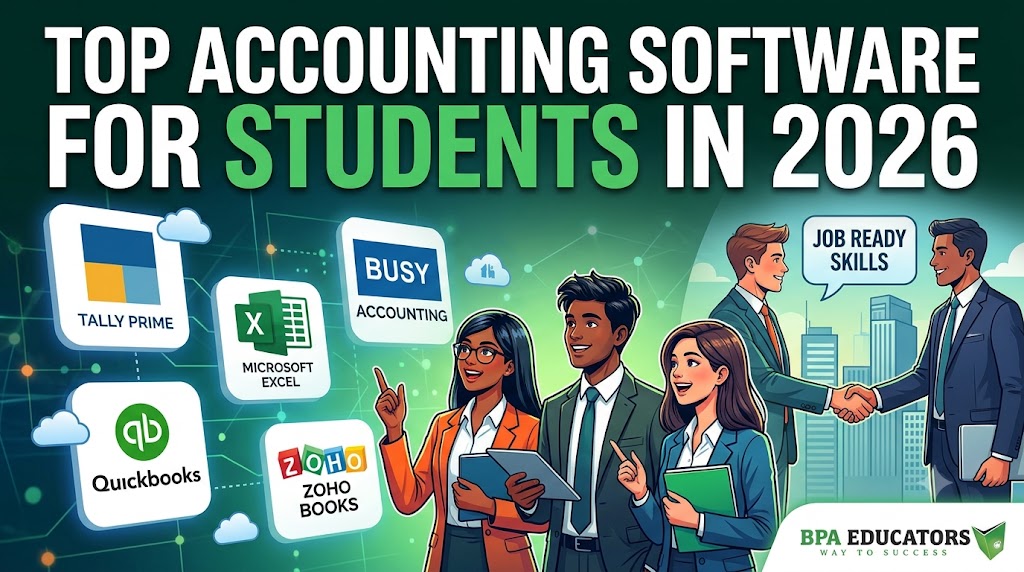
Top Accounting Software Every Student Should Know in 2026 | Build Job-Ready Accounting Skills
Discover the most important accounting software used by businesses and learn how mastering these tools can help you build a successful accounting and finance career.
Book FREE Demo ClassTable of Contents
- Why Learning Accounting Software Is Important
- Tally Prime
- Microsoft Excel
- Busy Accounting Software
- QuickBooks
- Zoho Books
- SAP ERP
- Oracle NetSuite
- Best Learning Path
- Career Opportunities
- Frequently Asked Questions
- Why BPA Educators
Want to Get an Accounting Job in 2026? Learn These Accounting Software First!
Imagine walking into an interview for an Accounts Executive or Finance Assistant role.
“Which accounting software have you worked on?”
If your answer is only “I know accounting theory” you may miss the opportunity.
Today, companies expect candidates to have practical knowledge of accounting software along with Excel skills. Whether you’re a commerce student, B.Com graduate, MBA student, entrepreneur, or job seeker, learning the right software can give you a competitive advantage.
In this guide, we’ll explore the top accounting software every student should know in 2026, their features, career opportunities, and why combining them with Advanced Excel is a smart career move.
Why Practical Skills Matter More Than Ever
Modern employers look beyond academic qualifications. They want professionals who can work with accounting software, generate reports, manage GST transactions, reconcile accounts, and support business decisions from day one. Learning accounting software alongside Advanced Excel significantly improves your job readiness.
Why Learning Accounting Software Is Important
Modern businesses use accounting software to automate financial operations, improve accuracy, and simplify compliance. Instead of maintaining records manually, organizations rely on software to manage day-to-day accounting activities efficiently.
Record Financial Transactions
Maintain accurate accounting records with proper journal entries and ledgers.
Prepare GST Invoices
Generate tax-compliant invoices and maintain GST-ready records.
Manage Inventory
Track stock movement, purchases, and sales efficiently.
Process Payroll
Manage employee salary records and payroll processing.
Financial Reports
Generate Balance Sheets, Profit & Loss Statements, Trial Balance, and Cash Flow reports.
MIS Reporting
Create management reports that help businesses make informed decisions.
| Traditional Accounting | Accounting Software |
|---|---|
| Manual calculations | Automated processing |
| Paper records | Digital records |
| Higher chances of errors | Improved accuracy |
| Slow reporting | Instant financial reports |
| Time-consuming | Productive and efficient |
Students with practical software knowledge are often better prepared for real workplace tasks than those who rely only on theoretical accounting concepts. Employers increasingly value candidates who can begin contributing with minimal training.
1. Tally Prime
Tally Prime remains one of the most widely used accounting software solutions in India. Thousands of businesses—including retail stores, manufacturers, wholesalers, service providers, and accounting firms—use Tally Prime for daily accounting operations.
Accounting
Record daily financial transactions accurately.
GST Billing
Generate GST-compliant invoices and reports.
Inventory Management
Track inventory movement and stock valuation.
Payroll
Process employee salaries and payroll records.
Banking
Manage receipts, payments, and bank reconciliation.
Financial Reports
Generate Balance Sheet, Trial Balance, and Profit & Loss reports.
Best For
- Commerce Students
- Accountants
- Small Businesses
- GST Professionals
Career Opportunities
- Accountant
- Accounts Executive
- GST Executive
- Tally Operator
Why Tally Prime Remains Popular
Its ease of use, GST support, inventory management, payroll capabilities, and widespread adoption make Tally Prime one of the first accounting software every beginner should learn.
2. Microsoft Excel
Excel is not accounting software by itself, but it is indispensable for accounting and finance professionals. Almost every accountant uses Excel alongside accounting software for reporting, reconciliation, budgeting, financial analysis, and MIS reporting.
Pivot Tables
Create powerful summaries and reports.
XLOOKUP
Retrieve information quickly from large datasets.
SUMIFS
Calculate totals based on multiple conditions.
IF Functions
Perform logical calculations efficiently.
Dashboards
Create interactive management reports.
MIS Reporting
Present business insights in a professional format.
Financial Functions
Analyze loans, investments, and cash flows.
Charts
Visualize financial data effectively.
Excel and Tally together are one of the most valuable combinations for aspiring accountants. Professionals who understand both accounting software and Excel reporting are often better equipped to handle real business tasks and management reporting.
3. Busy Accounting Software
Busy Accounting Software is one of the most widely used accounting solutions among wholesalers, distributors, retailers, and trading businesses across India. It is designed to simplify accounting, billing, GST compliance, inventory management, and financial reporting. Many businesses prefer Busy because of its business-focused features and ease of managing inventory-heavy operations.
Why Learn Busy Accounting Software?
If you’re planning to work in trading companies, retail businesses, FMCG firms, wholesale businesses, or distribution companies, understanding Busy Accounting Software can significantly improve your employability.
GST Accounting
Maintain GST-compliant accounting records and generate tax-ready reports efficiently.
Inventory Management
Track stock movement, warehouse inventory, and product availability.
Billing
Generate invoices, quotations, and purchase orders quickly.
Financial Reports
Create Balance Sheets, Trial Balance, Profit & Loss statements, and business summaries.
Multi-User Support
Allow multiple users to work on business accounts simultaneously.
Business Reports
Generate sales reports, inventory summaries, GST reports, and outstanding statements.
Suitable For
- Wholesale Businesses
- Retail Businesses
- Trading Companies
- Distributors
- Inventory-Based Businesses
Candidates who understand both Tally Prime and Busy Software can adapt more easily to different business environments, as organizations may use different accounting platforms depending on their operations.
4. QuickBooks
QuickBooks is a popular accounting software used by freelancers, startups, consultants, and small businesses in many countries. It provides cloud-based accounting features that simplify bookkeeping and financial management. Although QuickBooks is less commonly used in India compared to Tally Prime, understanding its workflow is beneficial for students interested in international accounting practices.
Invoicing
Create professional invoices and manage customer payments efficiently.
Expense Tracking
Monitor business expenses and maintain organized financial records.
Bank Reconciliation
Match accounting records with bank transactions accurately.
Financial Reports
Generate business reports to understand profitability and financial performance.
Who Should Learn QuickBooks?
Students planning careers with startups, international companies, remote accounting roles, or freelance bookkeeping projects can benefit from understanding QuickBooks workflows.
5. Zoho Books
Zoho Books is a cloud-based accounting platform designed for growing businesses and service-based organizations. Since it operates online, users can access business information from virtually anywhere with internet connectivity.
As businesses increasingly adopt cloud accounting solutions, understanding platforms like Zoho Books helps students become familiar with modern accounting practices.
Online Accounting
Manage accounting records securely through the cloud.
GST Compliance
Maintain GST-ready accounting records with integrated compliance features.
Inventory Management
Track inventory movement and product availability.
Client Management
Maintain customer information, invoices, and payment records.
Business Reports
Generate financial statements and business performance reports.
Cloud Accessibility
Access accounting information anytime from supported devices.
Cloud accounting continues to grow as businesses seek greater flexibility, collaboration, and accessibility. Learning the fundamentals of cloud accounting can help students prepare for modern workplace environments.
6. SAP (ERP – Finance Module)
SAP is one of the world’s most widely used Enterprise Resource Planning (ERP) systems. Large organizations rely on SAP to integrate accounting, finance, procurement, manufacturing, human resources, inventory, and business operations into a single platform.
Students planning long-term careers in corporate finance should become familiar with ERP concepts and financial modules used by enterprise organizations.
Learn
Financial Accounting
Asset Accounting
Accounts Payable
Accounts Receivable
Financial Reporting
Enterprise Processes
Corporate Career Advantage
SAP knowledge is particularly valuable for students targeting multinational companies, manufacturing firms, large enterprises, and corporate finance departments where ERP systems are commonly used.
7. Oracle NetSuite
Oracle NetSuite is a cloud-based ERP platform used by many multinational organizations to manage finance, inventory, procurement, budgeting, customer relationships, and business intelligence.
Although beginners generally start with Tally Prime and Excel, understanding enterprise platforms like Oracle NetSuite provides valuable exposure to global business systems.
Financial Management
Inventory Management
Procurement
Budgeting
Business Intelligence
Cloud ERP
Students aiming for international finance careers or multinational organizations can benefit from understanding how cloud ERP platforms support business operations across multiple departments.
Accounting Software Comparison
| Software | Best For | Difficulty | Popular In |
|---|---|---|---|
| Tally Prime | Accounting & GST | Beginner | Small & Medium Businesses |
| Microsoft Excel | Reporting & Analysis | Beginner–Advanced | Every Industry |
| Busy Accounting Software | Trading & Inventory | Beginner | Wholesale & Retail |
| QuickBooks | Startups & Freelancers | Beginner | International Businesses |
| Zoho Books | Cloud Accounting | Beginner | Service Businesses |
| SAP ERP | Corporate Finance | Advanced | Large Enterprises |
| Oracle NetSuite | Cloud ERP | Advanced | Multinational Companies |
Learning Tip
You don’t need to master every accounting software at once. Build a strong foundation with Computer Fundamentals, Microsoft Excel, and Tally Prime first. Once you’re comfortable with these tools, gradually explore Busy, cloud accounting platforms, and ERP solutions based on your career goals.
Which Accounting Software Should Beginners Learn First?
One of the most common questions students ask is: “Which accounting software should I learn first?” The answer depends on your career goals, but for most beginners, following a structured learning path is far more effective than trying to learn every software at once. Instead of jumping directly into ERP systems, build your knowledge step by step. Each software teaches a different aspect of accounting and business operations.
Recommended Learning Roadmap
Follow this sequence to build practical accounting skills that employers value.
| Step | What to Learn | Why It Matters |
|---|---|---|
| 1 | Computer Fundamentals | Build confidence using Windows, files, folders, internet, and office applications. |
| 2 | Microsoft Excel | Develop reporting, analysis, formulas, Pivot Tables, and dashboard skills. |
| 3 | Tally Prime with GST | Understand practical accounting, GST billing, vouchers, inventory, and financial reports. |
| 4 | Busy Accounting Software | Gain exposure to inventory-focused business accounting. |
| 5 | Cloud Accounting Concepts | Understand modern online accounting workflows. |
| 6 | SAP / Oracle ERP Basics | Prepare for corporate finance and multinational organizations. |
Trying to learn every accounting software simultaneously often creates confusion. Master one software thoroughly before moving to the next. Strong fundamentals make learning advanced systems much easier.
Skills That Employers Expect
Accounting software alone is no longer enough. Employers increasingly look for candidates who can combine accounting knowledge with reporting, communication, analytical thinking, and business software. The more practical skills you develop, the stronger your profile becomes.
Advanced Excel
Analyze financial data, prepare MIS reports, create dashboards, and automate calculations.
GST Accounting
Maintain GST-compliant records and understand taxation workflows.
Banking Transactions
Handle receipts, payments, reconciliation, and banking entries.
Inventory Management
Track purchases, sales, warehouses, and stock valuation.
MIS Reporting
Prepare management reports that support business decision-making.
Payroll
Maintain employee salary records and payroll processing.
Financial Analysis
Interpret financial statements and evaluate business performance.
Communication Skills
Present reports professionally and communicate financial information clearly.
Employer Expectation in 2026
Modern organizations prefer candidates who understand both accounting software and business reporting. Professionals who combine Tally Prime, Advanced Excel, GST accounting, and reporting skills are often better prepared for today’s workplace requirements.
Career Opportunities After Learning Accounting Software
Learning practical accounting software opens opportunities across multiple industries including finance, banking, retail, manufacturing, logistics, healthcare, education, consulting, and information technology.
| Job Role | Primary Responsibilities |
|---|---|
| Accountant | Maintain books of accounts, GST, banking, and financial reports. |
| Accounts Executive | Handle vouchers, invoices, reconciliation, and daily accounting. |
| Accounts Assistant | Support senior accountants with bookkeeping and reporting. |
| Finance Executive | Prepare financial reports and assist finance teams. |
| GST Executive | Manage GST accounting, tax invoices, and compliance. |
| MIS Executive | Create reports, dashboards, and business summaries using Excel. |
| Billing Executive | Prepare invoices and customer billing records. |
| Office Executive | Manage business documentation, reporting, and administrative work. |
Professionals who continue upgrading their skills with ERP systems, Advanced Excel, Power BI, business analytics, and financial reporting generally have access to broader career opportunities over time.
Why Choose BPA Educators in Rohini, Delhi?
At BPA Educators, learning goes beyond theory. Students work on practical assignments that simulate real business scenarios, helping them build confidence before entering the workplace. The emphasis is on hands-on learning, industry-relevant software, and professional skill development.
✔ Real Business Transactions
Practice accounting using real-world examples and business case studies.
✔ Advanced Excel Projects
Develop reporting, dashboard, and analytical skills alongside accounting software.
✔ Tally Prime with GST
Learn practical accounting, GST billing, inventory, and reporting.
✔ Busy Accounting Software
Gain practical exposure to another widely used accounting platform.
✔ Computer Applications
Strengthen your office productivity and digital workplace skills.
✔ MIS Reporting
Create professional management reports using Advanced Excel.
✔ Interview Preparation
Prepare confidently for technical interviews and Excel assessments.
✔ Practical Assignments
Work on business-oriented projects instead of only theoretical exercises.
✔ Placement Assistance
Receive career guidance and placement support after completing your training.
Learning by Doing
The objective is to prepare students for real accounting and finance roles through practical software training, business projects, reporting exercises, and workplace-oriented assignments.
Frequently Asked Questions (FAQs)
Which accounting software is best for beginners?
Tally Prime and Microsoft Excel are excellent starting points because they are widely used across industries and help students build practical accounting and reporting skills. Once you become comfortable with these tools, you can gradually explore Busy Accounting Software, cloud accounting platforms, and ERP solutions.
Is Excel necessary for accountants?
Yes. Excel is an essential workplace skill for accountants. It is widely used for financial analysis, budgeting, reconciliations, MIS reporting, dashboards, Pivot Tables, and business reporting. Learning Excel alongside accounting software significantly improves your employability.
Which accounting software is used most in India?
Tally Prime is one of the most widely adopted accounting software solutions for small and medium businesses across India because of its GST support, inventory management, and ease of use.
Can I get an accounting job after learning Tally and Excel?
Learning Tally Prime and Advanced Excel strengthens your practical skills and improves your readiness for entry-level accounting and finance roles. Practical projects, interview preparation, and continuous learning further enhance your career prospects.
Should I learn cloud accounting software?
Understanding cloud accounting concepts can be beneficial as more businesses adopt online financial management systems. Learning platforms like Zoho Books or Oracle NetSuite provides exposure to modern accounting workflows.
Do I need to learn every accounting software?
No. Begin with Computer Fundamentals, Microsoft Excel, and Tally Prime. Once your fundamentals are strong, you can gradually expand your knowledge based on your career goals.
Free Learning Resources & Downloads
Continue improving your accounting and Excel skills using these trusted resources.
📥 Free Excel Templates
Ready-made templates for accounting, finance, budgeting, payroll, inventory, and reporting.
Explore Related Courses
| Course | Explore |
|---|---|
| Advanced Excel Course | View Course |
| Tally Prime, Busy & QuickBooks Course | View Course |
| All BPA Educators Blogs | Read Blogs |
| Book a Free Demo Class | Contact BPA Educators |
Key Takeaways
What You Should Remember
- ✔ Practical accounting software knowledge is highly valuable in today’s job market.
- ✔ Tally Prime and Microsoft Excel form the foundation of many accounting careers.
- ✔ Learning reporting, GST, inventory management, and financial analysis improves workplace readiness.
- ✔ Combining accounting software with practical business projects builds confidence and professional skills.
- ✔ Continuous learning helps professionals stay competitive as accounting technology evolves.
Ready to Build a Career in Accounting?
Don’t stop at theory. Master the software used by businesses every day and develop practical skills that employers value.
Join BPA Educators, Rohini, Delhi and learn:
- ✅ Tally Prime with GST
- ✅ Advanced Excel
- ✅ Busy Accounting Software
- ✅ Computer Applications
- ✅ MIS Reporting
- ✅ Practical Accounting Projects
🎯 Book Your FREE Demo Class Today!
📍 Rohini, Delhi
📞 Contact BPA Educators for Course Details, Batch Timings, Fees, and Admission Information.
Build practical accounting skills today and prepare for tomorrow’s opportunities.
Final Thoughts
Accounting is no longer limited to manual bookkeeping. Modern businesses rely on digital tools to manage financial transactions, taxation, inventory, payroll, reporting, and business analysis. Understanding accounting software alongside Advanced Excel equips students with practical skills that are directly applicable in today’s workplace.
Whether you aim to work in a CA firm, a startup, a corporate finance department, or run your own business, developing proficiency in accounting software is a valuable investment in your professional growth. Start with the fundamentals, practice consistently, and continue upgrading your skills as technology evolves.